Creator commerce × AI shopping

Turn Creator Content Into AI-Ready Commerce

Creator Hub helps brands organize product knowledge, creator content, LIVE demonstrations, FAQs, and commerce data into intelligent product experiences built for modern shopping channels and AI discovery.

Built for brands, creators and the next generation of AI-powered commerce.

creator hub / product pipeline Demo data

Brand

NorthlaneDemo brand · 42 products

Product data

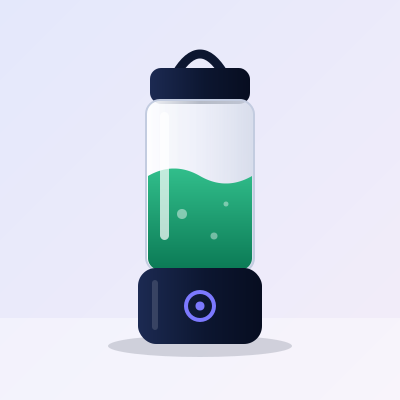
Orbit Go portable blender with a clear jar of green smoothie on a navy base
Orbit Go Portable Blender SKU NL-BLD-0420
Price
$59.00
Inventory
In stock
Specs
12 fields

Creators, content and LIVE

  • Creator holding the portable blender in a product demo videoDemo
  • Creator presenting during a LIVE shopping sessionLIVE
  • Creator recording a product reviewReview

Creator Hub

AI Commerce Engine

Processing

  • Product Information
  • Creator Videos
  • LIVE Content
  • Reviews
  • FAQs
  • Specifications
  • Pricing
  • Inventory
  • Customer Questions

2 AI drafts waiting for human review

Shopping channels

  • GooglePlanned
  • ShopifyPlanned
  • TikTokPlanned
  • YouTubePlanned
  • InstagramPlanned
  • MarketplacesSoon
  • AI Shopping AgentsPlanned

AI Commerce Readiness84 / 100

Creator Hub internal score · demo product

Customer

“I need a lightweight portable blender under $70 that’s easy to clean.”

AI product discovery

Orbit Go Portable BlenderMatches 4 of 4 requirements · answered from approved Passport data

Purchase

Order placedConcept flow

Product architecture: brand product data and creator content enter the Creator Hub AI Commerce Engine, are prepared for shopping channels, and reach a customer through AI product discovery. Channel labels show planned compatibility, not partnerships.

Why Creator Hub

One Product. Every Commerce Surface.

Every channel wants the same product described a different way. Brands should not have to rebuild product information by hand for each one. Describe a product once, enrich it with what creators and customers already say, and prepare it for every surface from there.

  1. 1

    Connect

    Import existing product and commerce information.

  2. 2

    Enrich

    Creator Hub organizes product knowledge, creator content and customer-facing information.

  3. 3

    Distribute

    Prepare optimized product experiences for commerce, social and AI-discovery channels.

After Creator Hub

Everything flows into one product intelligence profile, then out to each channel.

  • Spreadsheet
  • Shopify catalog
  • Videos
  • TikTok content
  • Google feed
  • FAQs
  • Creator files
  • Support tickets
  • Product documents
Creator Hub Product Intelligence One reviewed source of truth
  • Commerce
  • Social
  • Search
  • AI discovery

Flagship product

Meet the Creator Hub AI Commerce Engine

Transform fragmented commerce information into structured, useful product intelligence. Select an input to trace which engine capabilities it feeds and which outputs it informs.

Inputs

  1. Ingest
  2. Understand
  3. Structure
  4. Enrich
  5. Review
  6. Distribute
Creator Hub AI
  • Catalog Intelligence
  • Content Understanding
  • Attribute Extraction
  • FAQ Generation
  • Product Knowledge
  • Commerce Readiness
  • Content Classification
  • Channel Preparation
AI draft Human review Approved

Outputs

  • AI-ready product knowledge
  • Structured catalog data
  • Product FAQs
  • Creator content intelligence
  • Shopping-channel feeds
  • Search and discovery information
  • Product comparison data
  • Customer-facing answers

AI-generated information can be wrong. The engine marks everything it drafts, and nothing reaches a channel until a person on your team approves it.

Built for the whole catalog, whatever you sell

Demo catalog. Illustrated products stand in for your own photography.

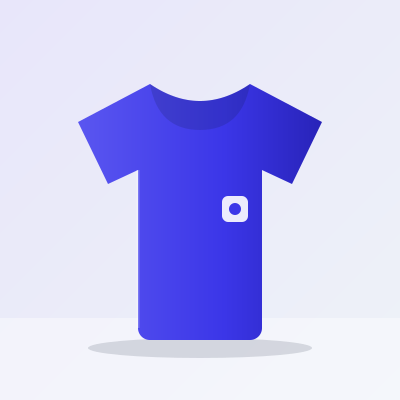
  • A folded indigo crew-neck tee with a small chest patch
    FashionCrew Tee
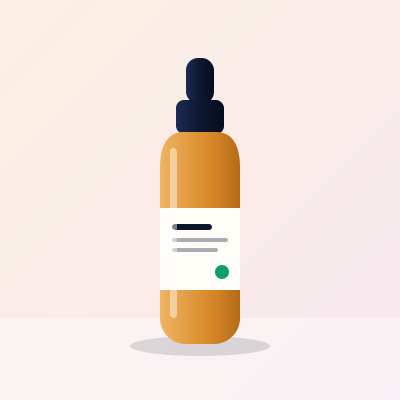
  • An amber glass serum bottle with a dropper cap
    BeautyGlow Daily Serum
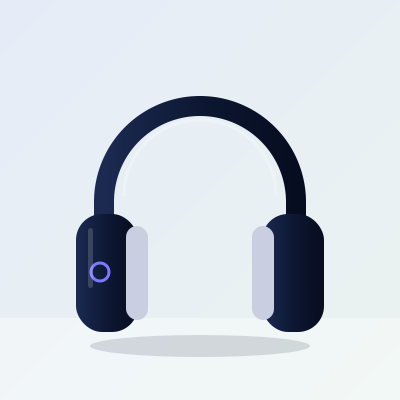
  • Navy over-ear wireless headphones
    ElectronicsPulse Wireless Headphones
  • A cream stoneware mug of coffee with steam rising
    HomeStoneware Mug
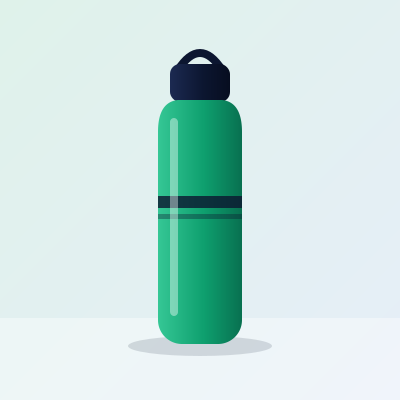
  • A green insulated steel bottle with a carry loop
    FitnessTrail Insulated Bottle
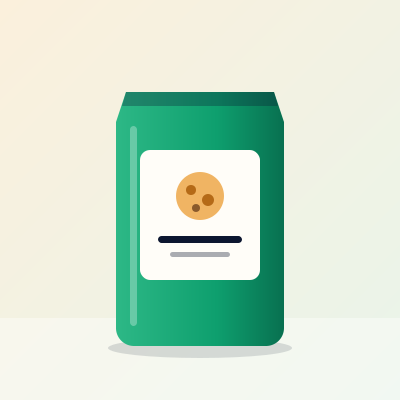
  • A green pouch of granola with a paper label
    FoodMorning Granola
  • A natural canvas tote bag with leather handles
    AccessoriesEveryday Canvas Tote
  • A portable blender with a clear jar and navy base
    LifestyleOrbit Go Portable Blender

Signature feature

Product Intelligence Passport

Every product receives a centralized intelligence profile. One product, one complete record: what it is, what creators showed, what customers asked, and where each field stands.

Orbit Go portable blender, the demo product whose information fills this passport
  • MaterialBPA-free Tritan
  • Dimensions3.1 × 9.4 in
  • Features6 listed
  • Creator demonstrations3 videos
  • Questions4 open
  • ReviewsNot connected
  • Commerce dataPrice · stock
Product Intelligence PassportDemo data

Orbit Go Portable Blender

SKU
NL-BLD-0420
Brand
Northlane
Category
Small kitchen appliances
Price
$59.00
Availability
In stock
Last updated
Today, 09:14
Passport fields with their current status
FieldContentsStatus
Key FeaturesSelf-clean mode, leak-proof lid, USB-C charging, +3Complete
Technical Specifications13 oz · 1.1 lb · 3.1 × 9.4 in · 12 fieldsComplete
Product Images5 images, 3 anglesComplete
Video Assets4 clips linkedReady
Creator Content3 creator videosReady
LIVE Demonstrations1 session, 6 timestampsReady
FAQs6 drafted by AIHuman Review RequiredNeeds Review
Customer Questions4 unanswered from LIVE chatNeeds Review
ReviewsNo review source connectedMissing Data
Commerce Channels3 of 5 preparedIn progress
Data Completeness 86%
AI Readiness 84

Internal Creator Hub metric

AI Commerce Readiness

The Creator Hub AI Commerce Readiness Score estimates whether a product’s information is complete and structured enough for AI-assisted discovery. It is our own measure, not an industry standard, and it does not predict ranking or sales.

Creator Hub AI Commerce Readiness Score

Orbit Go Portable BlenderDemo product · equal-weight average of ten categories

Category breakdown

  • Product Data94
  • Attributes80
  • Descriptions90
  • Images92
  • Creator Content86
  • FAQs72
  • Reviews64
  • Structured Data90
  • Channel Coverage78
  • Freshness94

Recommended next steps

  1. AttributesAdd 3 missing product attributes
  2. Creator ContentAdd product demonstration video
  3. FAQsAnswer 4 common customer questions
  4. FreshnessUpdate inventory information
  5. Structured DataImprove product comparison information

Score one of your own products

Creator content intelligence

Turn Creator Content Into Product Intelligence

Creator videos, product demonstrations, LIVE sessions, tutorials, unboxings, Q&A sessions and reviews are full of product knowledge that never reaches the catalog. Creator Hub organizes what creators say and show, then asks your team to verify it.

  • A creator holding a portable blender up to the camera
    Product Demo0:42
    Orbit Go: 30-second smoothieMaya · demo creator
  • A creator presenting a serum bottle during a live session
    LIVE
    Evening skincare routine, liveDev · demo creator
  • A creator holding wireless headphones for a review
    Review3:18
    Two weeks with the Pulse headphonesSam · demo creator
  • A creator holding a stoneware mug in a tutorial
    Tutorial2:05
    How to glaze-proof your morning mugLena · demo creator
  • A creator unboxing a shipping carton
    Unboxing1:27
    What is in the boxRin · demo creator
  • A creator holding an insulated bottle while answering questions
    Q&A4:50
    Your Trail bottle questions, answeredNoor · demo creator
  1. Video
  2. Transcript
  3. Product references
  4. Features and questions
  5. Structured knowledge
  6. Commerce experience
Orbit Go: 30-second smoothieProduct Demo · 0:42 · Maya, demo creator
Demo data
  1. “This is the Orbit Go. It’s about a pound, so it lives in my gym bag.”

  2. “Frozen fruit goes in first. People keep asking if it can crush ice, so let’s find out.”

  3. “To clean it, add water and a drop of soap, then run it for twenty seconds.”

  4. “And it lasts all week on one charge.”

  • Product reference
  • Feature
  • Question
  • Unverified claim

Extracted for review

1 of 5 approved

  • Product reference

    Orbit Go Portable Blender · NL-BLD-0420

    0:04 · matched to catalog
    Approved
  • Feature

    Lightweight: about 1 lb

    0:04 · agrees with spec sheet (1.1 lb)
    Needs Review
  • Feature

    Self-clean: water, soap, 20 seconds

    0:27 · new attribute, not in catalog
    Needs Review
  • Question

    Can it crush ice?

    0:15 · FAQ answer drafted by AI
    Needs Review
  • Claim

    “Lasts all week on one charge”

    0:36 · no matching specification. Verify with the brand before use.
    Unverified

LIVE commerce

LIVE Shopping That Keeps Working After the Stream Ends

A LIVE session is an hour of demonstrations, questions and answers that usually disappears when the stream ends. Creator Hub is designed to keep the useful parts attached to the product.

Creator presenting a serum bottle to the camera during a LIVE shopping session
LIVE12:41
  • ana is it fragrance-free?
  • jo how many drops per use
  • kim ordering now
Glow Daily Serum$34.00 · pinned
Glow Daily Serum, an amber dropper bottle, the product featured in this LIVE session

Product card

Glow Daily Serum

$34.00 1 fl oz

  • No added fragrance
  • Absorbs without residue
  • Morning and evening use

Questions

  • Is it fragrance-free?

    Answered 12:41
  • How many drops per use?

    Waiting
  • Does it work under sunscreen?

    Waiting

Product information discussed

  • Ingredients
  • Texture
  • Routine order
  • Bottle size

What Creator Hub captures

Demo session
  1. Product mentioned

    Glow Daily Serum

  2. Feature demonstrated

    Absorbs without residue

  3. Question asked

    “Is it fragrance-free?”

  4. Answer provided

    “Yes, no added fragrance.”

  5. Video timestamp

    Linked to the question

  6. Reusable clip

    45-second clip

During LIVE

  • Creator demonstrates product.
  • Customers ask questions.
  • Product information is discussed.
  • Creator Hub organizes these interactions.

After LIVE

  • Generate searchable highlightsPlanned
  • Organize common questionsPlanned
  • Connect demonstrations with productsPlanned
  • Create reusable content assetsPlanned
  • Build product knowledgePlanned
  • Surface useful clipsPlanned

This section shows the product design. Capabilities marked Planned are on the roadmap and are not yet available.

Product knowledge layer

Every fact about a product, connected

Price lives in a feed. Battery life lives in a PDF. The best answer to “can it crush ice?” lives in a creator’s video. Creator Hub connects these sources into one knowledge layer per product.

  • Commerce data
  • Attributes
  • Creator content
  • Customer questions

Hover or focus a node to highlight related information.

Product knowledge graph for a portable blenderThirteen pieces of product information from different sources connect to one product. The same information is listed in the table that follows.PriceInventoryStoreCategoryColorWeightBatteryCapacityMaterialCreator ReviewLIVE DemoFAQCustomer QuestionPRODUCTPortable Blender
View this graph as a table
Information connected to the Orbit Go Portable Blender (demo data)
InformationValueSourceType
Price$59.00Product feedCommerce data
InventoryIn stockStore catalogCommerce data
StoreNorthlane online storeStore catalogCommerce data
CategorySmall kitchen appliancesProduct feedCommerce data
ColorSlate, Sage, SandProduct feedAttribute
Weight1.1 lb (510 g)Brand documentationAttribute
BatteryUSB-C rechargeableBrand documentationAttribute
Capacity13 oz (380 ml)Product feedAttribute
MaterialBPA-free Tritan jarBrand documentationAttribute
Creator ReviewMorning smoothie testCreator videoCreator content
LIVE DemoSelf-clean demonstrationLIVE sessionCreator content
FAQCan it crush ice?Drafted, awaiting reviewCustomer
Customer QuestionHow long does a charge last?LIVE chatCustomer

Product to purchase

Follow one product through Creator Hub

Six steps take a product from a catalog row to a customer’s answer.

  1. Step 1

    Product enters Creator Hub.

    Catalog data arrives with whatever it has: a name, a price, a handful of attributes.

  2. Step 2

    Creator content is connected.

    Demonstrations, reviews and LIVE sessions that feature the product are linked to it.

  3. Step 3

    AI organizes product knowledge.

    Features, specifications and common questions are extracted and drafted as structured fields.

  4. Step 4

    Brand reviews information.

    Your team approves, edits or rejects each draft. Only approved information moves on.

  5. Step 5

    Product information is prepared for channels.

    Approved data is shaped to what each connected commerce surface expects.

  6. Step 6

    Customer discovers the product.

    A shopper asks a question and gets an answer grounded in what your team approved.

For brands

One Commerce Intelligence Layer for Your Brand

Product knowledge is scattered across teams, tools and creators. Creator Hub gives your brand one place to hold it and keep it current.

  • Centralize product knowledge
  • Manage creator content
  • Improve catalog completeness
  • Prepare products for AI discovery
  • Reuse LIVE commerce content
  • Maintain FAQs
  • Track product-content relationships
  • Manage multiple commerce channels
Explore Brand Solutions
creator hub / productsDemo data
Demo product list with completeness and readiness
ProductCompletenessContentReadinessStatus
Orbit Go Portable Blender86%3 videos · 1 LIVE84Ready
Pulse Wireless Headphones92%5 videos90Ready
Glow Daily Serum74%2 videos · 1 LIVE71Needs Review
Trail Insulated Bottle58%No content yet52Missing Data
Stoneware Mug90%1 tutorial88Ready

For creators

Create Content That Drives Commerce

Your demonstrations answer the questions shoppers actually have. Creator Hub connects that work to the products it features, so it keeps earning attention after the first post.

  1. Discover Products
  2. Create Content
  3. Go LIVE
  4. Answer Questions
  5. Generate Commerce Assets
  6. Track Performance
  • Creator profile
  • Brand opportunities
  • Campaign dashboard
  • Product library
  • Content submissions
  • LIVE events
  • Performance analytics
  • Earnings dashboard
Join as Creator
MayaCreator profile · demo account

Campaign

Northlane · Orbit Go launch 2 of 3 deliverables submitted

Product library

Next LIVE

Thu 7:00 PMSmoothie hour

Earnings

—Shown once payouts are connected
  • A creator holding a portable blender up to the camera
    Product Demo0:42
    Orbit Go: 30-second smoothieMaya · demo creator
  • A creator presenting a serum bottle during a live session
    LIVE
    Evening skincare routine, liveDev · demo creator
  • A creator holding wireless headphones for a review
    Review3:18
    Two weeks with the Pulse headphonesSam · demo creator
  • A creator holding a stoneware mug in a tutorial
    Tutorial2:05
    How to glaze-proof your morning mugLena · demo creator

Multi-channel commerce

Build Once. Prepare for Every Shopping Channel.

Creator Hub sits in the middle of your commerce stack. Every connection below shows its real status, so you always know what exists today and what is still on the roadmap.

  • Google Merchant CenterPlanned
  • ShopifyPlanned
  • TikTok ShopPlanned
  • YouTubePlanned
  • InstagramPlanned
  • MarketplacesComing Soon
  • WebsitesPlanned
  • AI AssistantsPlanned
  • Shopping AgentsPlanned
  • APIsPlanned
  • FeedsComing Soon
Creator HubProduct intelligence
  • AvailableLive and usable today.
  • BetaWorking, with limited access.
  • Coming SoonIn development, next in line.
  • PlannedOn the roadmap, not started.

No integration is listed as Available or Beta yet. Names of third-party platforms describe planned compatibility and do not imply partnership or endorsement.

AI shopping experience · Concept Demo

What a shopper could see when product knowledge is ready

This is a scripted simulation built on demo Passport data. It is not a live AI shopping service. Pick a question to see how a structured product profile supports the answer.

Shopping assistantConcept Demo

“I need a lightweight portable blender under $70 that’s easy to clean.”

  • Finding products matching your requirements…
  • Reading approved Passport data
  • Checking price, availability and creator demonstrations

Orbit Go Portable Blender matches all four requirements. Details are in the recommendation.

Try a question

Orbit Go portable blender

Recommended Product

Orbit Go Portable Blender

$59.00 In stock

Why It Matches

  • Lightweight: 1.1 lb
  • Portable: USB-C rechargeable, leak-proof lid
  • Under $70: $59.00
  • Easy to clean: self-clean mode

Features

  • Self-clean mode
  • Leak-proof lid
  • USB-C charging

Specifications

Capacity
13 oz
Weight
1.1 lb
Jar
BPA-free Tritan

Creator Demonstration

30-second smoothieMaya · self-clean shown at 0:27

Customer Questions

Can it crush ice?Small cubes, with liquid added. Approved FAQ

View Product

Brand dashboard preview

One workspace for products, creators and channels

A preview of the brand workspace. Numbers are neutral demo data, not customer results.

creator hub / northlane (demo workspace)Demo data
  • Products

    42

    38 with a Passport

  • Active Creators

    8

    Across 2 campaigns

  • Content Assets

    126

    Videos, clips and images

  • LIVE Sessions

    3

    1 scheduled this week

  • Channel Coverage

    3 of 5 prepared

  • AI Readiness

    78 catalog average

  • Catalog Issues

    11

    • Missing attributes6
    • Inventory out of date3
    • No product images2
  • Recent Activity

    • Priya approved 4 FAQs on Orbit Go

    • AI drafted 3 attributes from a creator video

    • Maya submitted a product demo

    • Inventory feed is 3 days old

How it works

Five steps from catalog to channel

Start with the data you already have. Each step adds to the same product profile.

  1. 01

    Connect

    Bring your product catalog and commerce data.

  2. 02

    Create

    Creators produce demonstrations, videos and LIVE content.

  3. 03

    Understand

    Creator Hub organizes product and content knowledge.

  4. 04

    Prepare

    Structure product information for different commerce environments.

  5. 05

    Distribute

    Publish approved information through connected channels.

Integrations

Connect the stack you already run

Every integration carries a visible status. We do not list something as available until it has shipped.

  • Planned

    Shopify

    Import catalog, pricing and inventory from a Shopify store.

    Commerce
  • Planned

    Google Merchant Center

    Prepare product data structured for Merchant Center feeds.

    Commerce
  • Coming Soon

    Marketplaces

    Export marketplace-ready listings from approved product data.

    Commerce
  • Planned

    TikTok Shop

    Connect creator content and LIVE sessions to shop listings.

    Social
  • Planned

    Instagram and Meta commerce

    Prepare catalog data and creator content for Meta shopping surfaces.

    Social
  • Planned

    YouTube

    Link product demonstrations and LIVE replays to products.

    Video
  • Coming Soon

    Video uploads

    Upload creator videos directly for transcription and tagging.

    Video
  • Planned

    Analytics export

    Send content and product engagement events to your analytics stack.

    Analytics
  • Coming Soon

    CSV and spreadsheet import

    Start from the spreadsheet your team already maintains.

    Product Data
  • Coming Soon

    Product feeds (XML, JSON)

    Generate structured feeds from approved Passport data.

    Product Data
  • Planned

    REST API

    Read and write product intelligence from your own systems.

    APIs
  • Planned

    Webhooks

    Get notified when a product is approved, updated or flagged.

    APIs
  • Planned

    AI assistants

    Expose approved product knowledge to assistant-style experiences.

    AI
  • Planned

    Shopping agents

    Provide structured, verified answers for agent-driven shopping.

    AI
  • Planned

    Headless CMS

    Sync FAQs and product knowledge into your content system.

    CMS
  • Planned

    Website embed

    Add product knowledge and creator clips to your own product pages.

    CMS

See all integrations and status definitions

Analytics

Understand What Content Helps Customers Buy

See which demonstrations get watched, which questions keep coming up, and where product information is too thin to answer them.

  • Content engagement and product views
  • Creator performance by product
  • Frequently asked questions
  • Product discovery and channel activity
  • LIVE engagement
  • Product information gaps

Conversion attribution depends on the data each connected channel shares. Creator Hub reports what a channel makes measurable and labels the rest as unavailable.

creator hub / analyticsSample data
Content engagement · weekly views of creator content
Weekly views of creator content, sample data A line rising from 120 views in week 1 to 340 views in week 8. 0200400 W1W3W5W7W8 Week 1: 120 viewsWeek 2: 150 views Week 3: 140 viewsWeek 4: 210 views Week 5: 260 viewsWeek 6: 240 views Week 7: 310 viewsWeek 8: 340 views 340

Channel activity · product views

  • Store320
  • Social280
  • Search150
  • AI discovery90

Frequently asked questions

  • Can it crush ice?18
  • How long does a charge last?14
  • Is the jar dishwasher safe?9

Product information gaps

  • Battery life has no spec14 questions
  • Dishwasher safety unknown9 questions

LIVE engagement · chat messages per 5 min

Enterprise

Built for Serious Commerce Teams

Large catalogs need more than a clever model. They need control over who can change product information, a record of what changed, and a way out for the data.

Approval workflow · audit trail Demo

  1. AI

    Drafted FAQ “Can it crush ice?”

  2. Editor

    Edited answer, requested approval

  3. Approver

    Approved for distribution

  • Role-based accessDecide who can view, edit and approve.
  • Approval workflowsRoute AI drafts to the right reviewer.
  • Audit trailsSee who changed what, and when.
  • API accessRead and write product intelligence.
  • Catalog managementWork across large, multi-brand catalogs.
  • Data exportTake your product data with you.
  • Integration managementControl which channels receive what.
  • Team workspacesSeparate brands, regions and agencies.
  • Security controlsAccess policies and session controls.
  • Enterprise supportA named contact for onboarding.

Enterprise capabilities are being built with early customers. We will list security certifications such as SOC 2 or ISO 27001 only after they are achieved. None are claimed today.

Pricing

Plans for creators, brands and enterprise teams

Pricing is being finalized with early customers. We would rather say that than publish a number we might change.

  • Creator

    For individual creators.

    Coming Soon

    • Creator profile and product library
    • Content submissions to brand campaigns
    • LIVE event scheduling
    • Performance analytics
    Join as Creator
  • Growth

    For growing brands.

    Coming Soon

    • Product Intelligence Passport for your catalog
    • AI Commerce Readiness Score
    • Creator content and LIVE organization
    • Human review and approval
    Join Waitlist
  • Enterprise

    For organizations requiring advanced controls and integrations.

    Contact Sales

    • Role-based access and approval workflows
    • Audit trails and data export
    • API access and integration management
    • Enterprise support
    Talk to Sales

Plan contents describe what each plan is designed to include and may change before launch.

FAQ

Questions, answered plainly

Something we did not cover? Ask the team.

What is Creator Hub?

Creator Hub is an AI-powered creator commerce and product-discovery platform. It brings a brand's product data, creator content, LIVE sessions and customer questions into one structured product profile, then prepares that information for shopping channels and AI discovery.

What is AI Commerce?

AI Commerce is shopping that is assisted by AI systems: assistants that answer product questions, agents that compare options, and search experiences that summarize products. These systems rely on complete, structured and accurate product information. Creator Hub helps brands prepare it.

What is the Product Intelligence Passport?

It is the central profile Creator Hub keeps for each product. It holds catalog data, specifications, creator content, LIVE demonstrations, FAQs, customer questions and channel status in one place, with a status on every field so your team can see what is complete and what needs review.

What is AI Commerce Readiness?

The Creator Hub AI Commerce Readiness Score is an internal Creator Hub metric. It estimates how complete and well structured a product's information is across ten categories. It is not an industry standard and it does not predict ranking or sales on any channel.

How does Creator Hub work with creators?

Creators discover products, produce demonstrations, reviews and LIVE sessions, and submit content to brand campaigns. Creator Hub links that content to the right products so the knowledge inside it can be organized and reused.

Can Creator Hub connect to my existing store?

Store connections are on the roadmap and are labeled Planned or Coming Soon on the integrations page. Tell us which platform you use when you request a demo and we will confirm what is supported for your setup.

Does Creator Hub replace Shopify?

No. Creator Hub is not a storefront or checkout. It is an intelligence layer that sits alongside your commerce platform and prepares product information and content for it.

Can Creator Hub work with Google Merchant Center?

Preparing product data for Google Merchant Center is a planned integration. Creator Hub is not an official Google partner, and we will not describe the integration as available until it ships.

How does Creator Hub use AI?

AI is used to transcribe and classify content, extract product attributes, draft FAQs and identify gaps in product information. AI output is treated as a draft.

Does AI-generated information require approval?

Yes. AI-generated information can be wrong. Drafted attributes, FAQs and answers are marked Human Review Required and are only distributed after someone on your team approves them.

Which integrations are available?

Every integration on this site carries a status: Available, Beta, Planned or Coming Soon. At the moment all listed integrations are Planned or Coming Soon. The integrations page is the source of truth.

Can creators join independently?

Yes. Creators can apply on their own through the Join as Creator form. You do not need to be invited by a brand.

Is Creator Hub available for enterprise teams?

Enterprise plans are designed around role-based access, approval workflows, audit trails and API access. Talk to sales to discuss your requirements. We only list security certifications once they have been achieved.

Prepare Your Brand for the Next Generation of Commerce

Bring together products, creators, content and commerce intelligence in one platform.

  • Product
  • Creator
  • Creator Hub AI
  • Channels
  • Purchase